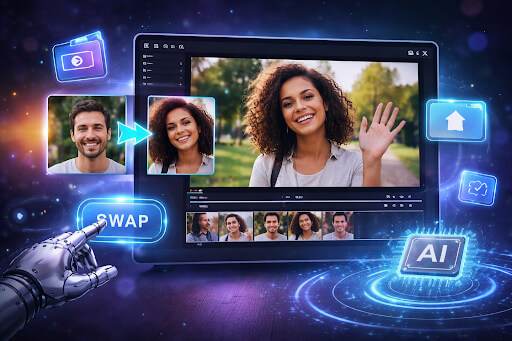

Video editing has changed rapidly in the last few years. Creators, marketers, and businesses now look for ways to modify videos quickly without spending hours on complex editing software. One area gaining attention is face swapping. It allows users to replace one person’s face with another in a video while preserving expressions, lighting, and motion.
A face swap video is a type of video where one person’s face is replaced with another’s using artificial intelligence. The system detects facial landmarks and tracks movement frame by frame. It then blends the new face with the original footage so the final result appears natural.
This capability helps creators experiment with storytelling, marketing content, and entertainment clips without expensive production workflows. The tools below allow users to produce realistic results while maintaining speed and simplicity. If you need quick edits or creative video variations, these five AI face swap tools are worth exploring.
If you need fast face replacement in videos, several tools now handle the process with AI automation. These platforms detect faces in footage, track movement, and blend another face into the scene without requiring advanced editing skills.
Most modern tools work in three simple steps. First, upload the original video file. Second, add a photo of the face you want to insert. Third, let the AI process the frames and generate the final video. Many tools complete this process within minutes, depending on video length and resolution.
Key capabilities users often look for include:
- Accurate face detection and tracking
- Expression and motion synchronization
- High resolution export options
- Simple upload and processing workflows
- Support for common formats such as MP4 and MOV
Face swap tools can be useful for several scenarios. Content creators may test character variations in videos. Marketing teams may experiment with localized campaigns. Filmmakers may test casting ideas before full production. The tools below help accomplish these tasks while keeping editing workflows fast and manageable.
1. Invideo
Invideo provides a streamlined approach for creating face swap videos without complex editing steps. Users upload an existing video, add a reference image of the face they want to use, and the AI-powered creative suite replaces the face across the footage automatically. The goal is to keep the process simple while producing realistic visual results.
The platform focuses on maintaining the natural motion and expressions of the original subject. AI analyzes facial structure and movement in each frame before applying the replacement face. This helps maintain visual continuity throughout the video. Users can explore the process directly through the tool designed for creating an AI face swap video.
Invideo also integrates its broader video creation capabilities with the face swap workflow. For example, users working on marketing clips or social content can combine the face swap feature with the platform’s AI video generator capabilities to produce complete video projects more efficiently.
It includes several technical features that help improve output quality:
- AI-powered face detection
- Lightning-fast processing results
- Flicker-free video output
- Motion and expression synchronization
- Batch processing support
Another notable element of this AI-powered visual content creation platform is its emphasis on visual consistency. The platform attempts to match lighting conditions, skin tone, and texture so the new face blends naturally with the original footage. This process produces hyper-realistic results when the source video has good resolution.
Invideo supports commonly used video formats, including MP4, MOV, and AVI. For best results, the platform recommends videos recorded in 720p resolution or higher.
The tool can serve multiple types of users:
- Content creators testing video concepts
- Film and VFX artists experimenting with scenes
- Businesses creating marketing variations
- Video editors adjusting visual elements
- Localization teams modifying characters
Privacy and responsible usage also play an important role in the system design. The platform also emphasizes consent and responsible content moderation when working with face-swapping technology.
By combining automation with careful processing, invideo enables users to produce face swap videos quickly while maintaining realistic motion and image quality.
2. DeepSwap
DeepSwap is a browser-based AI tool designed to replace faces in videos and images with minimal setup. The platform focuses on fast processing and an easy upload workflow so users can generate results without advanced editing knowledge.
After uploading a video and a reference face image, the system scans the footage and detects facial landmarks across each frame. It then applies the replacement face while attempting to match expressions and angles from the original video.
The workflow generally follows three simple steps:
- Upload a video clip
- Upload a target face image
- Generate the swapped output
DeepSwap supports various video lengths, although shorter clips typically process faster. The tool allows users to export results directly after processing, which makes it useful for quick experiments or short social media videos.
Several features make the tool accessible for beginner creators:
- Automatic face tracking
- Frame-level blending
- Cloud-based processing
- Quick export options
Use cases vary depending on the type of creator. Content creators often use the tool to create parody videos or entertainment content. Small marketing teams may test different character variations in short advertisements. Some filmmakers also use it for concept testing before investing in production.
Because the platform runs in a web environment, users do not need to install editing software. However, output quality still depends heavily on the quality of the uploaded footage and the face reference image.
DeepSwap can be a practical option for users who want a simple, browser-based solution for quick face swap video experiments.
3. Swapface
Swapface is another AI-driven tool focused on video face replacement and streaming applications. The platform supports both recorded video editing and live face swapping during streaming sessions.
The software analyzes facial geometry and movement patterns in the source footage. Once detected, the system overlays the new face while adjusting orientation, expression, and lighting conditions.
A typical editing workflow includes:
- Importing the video file
- Selecting a reference face image
- Running the AI swap process
Swapface places particular emphasis on real-time processing capabilities. Streamers sometimes use it to create interactive content where a different character face appears during a live broadcast.
Core platform capabilities include:
- Real-time facial tracking
- Expression mapping
- Video rendering support
- Adjustable blending settings
Beyond entertainment content, the tool may also support educational or demonstration videos where a creator needs to simulate different characters or roles. For example, trainers sometimes create character-based examples to explain a concept in a training video.
Like most face swap tools, Swapface works best when the original footage includes clear lighting and visible facial features. Videos with strong shadows or low resolution may reduce the accuracy of the face alignment.
Swapface offers a flexible option for creators who want both recorded and real-time face-swapping functionality.
4. Magicam
Magicam focuses on real-time face swapping primarily for streaming, gaming, and virtual presentations. The software allows users to replace their face with another character or person during live video output.
The platform uses AI to detect facial movements through a webcam or video source. It then maps the replacement face over the original user in real time. This creates the illusion that the person speaking has a completely different appearance.
The typical setup involves:
- Connecting a webcam source
- Uploading a face reference image
- Activating the face swap filter
Magicam is often used by online streamers and content creators who want to add humor or creative elements to their broadcasts. However, the software can also support recorded video projects.
Key features include:
- Real-time face replacement
- Webcam compatibility
- Expression tracking
- Streaming software integration
The system integrates with several streaming platforms, which makes it easier for users to include face swapping in live broadcasts or gaming sessions.
One important consideration is that real-time face swapping requires sufficient computing resources. Systems with stronger GPUs typically produce smoother results.
Magicam can be useful for creators who want to experiment with interactive content or live face replacement during video production.
5. FaceMagic
FaceMagic is an AI face swap application with a mobile focus that can quickly alter videos. The platform allows users to replace faces in short clips directly from their smartphones.
The application detects facial landmarks automatically and blends the new face into the video sequence. Many users employ the tool to generate entertainment clips or short social media posts.
The process typically includes:
- Selecting a video template or clip
- Uploading a face image
- Processing the video in the app
FaceMagic emphasizes accessibility and ease of use. The mobile interface allows users to create face swap videos without specialized editing knowledge.
Key capabilities include:
- Mobile-based processing
- Automatic face detection
- Simple video export
- Social sharing features
Because the tool runs on smartphones, it often focuses on shorter video clips rather than long-form content. This makes it well-suited for quick edits, memes, or creative social media videos.
FaceMagic demonstrates how face-swapping technology has expanded beyond professional editing tools into everyday mobile content creation workflows.
Conclusion
Face swap technology has made video editing faster and more accessible. Instead of manually editing frames or complex visual effects, creators can now replace faces with automated tools.
The five tools discussed in this article provide different approaches depending on your needs. Some focus on browser-based editing, others on live streaming, and some on mobile video creation. Each option can help users produce creative variations of videos quickly.
Before using any face swap tool, consider a few important steps:
- Use high-quality video footage when possible
- Ensure the reference face image is clear and well-lit
- Verify you have permission to use any person’s likeness
Face swap tools can support both personal projects and commercial video production. However, creators should always comply with copyright rules and respect privacy when using someone else’s image or video.
As these tools continue to evolve, they may become a regular part of video production workflows for creators and businesses alike.
What kind of project would you try first with an AI face swap video tool?
FAQs
1. What is an AI face swap video?
An AI face swap video replaces one person’s face in a video with another person’s face using artificial intelligence. The system analyzes facial landmarks and movements in each frame, then blends a new face into the footage while maintaining expressions and motion.
2. Are AI face swap videos legal to create?
Creating face swap videos is generally legal if you have permission to use the video footage and the person’s likeness. Problems may arise if someone uses another person’s face without consent, especially for commercial or misleading purposes.
3. What video quality works best for face swapping?
Most tools recommend videos recorded at 720p resolution or higher. Higher resolution footage allows the AI platform to detect facial features more accurately and produce more natural-looking results.
4. Can beginners use AI face swap tools?
Yes. Many modern face swap tools automate the process. Users typically upload a video, upload a face image, and let the system generate the output. This reduces the need for advanced editing knowledge.
5. Do face swap tools work on mobile devices?
Some AI platforms integrate mobile-based applications designed for quick edits. Others operate in browsers or desktop software environments. Mobile apps usually focus on shorter clips due to device processing limits.
6. Are face swap videos only for entertainment?
No. While entertainment content is common, face swapping can also support marketing experiments, creative storytelling, and concept testing in filmmaking or advertising.