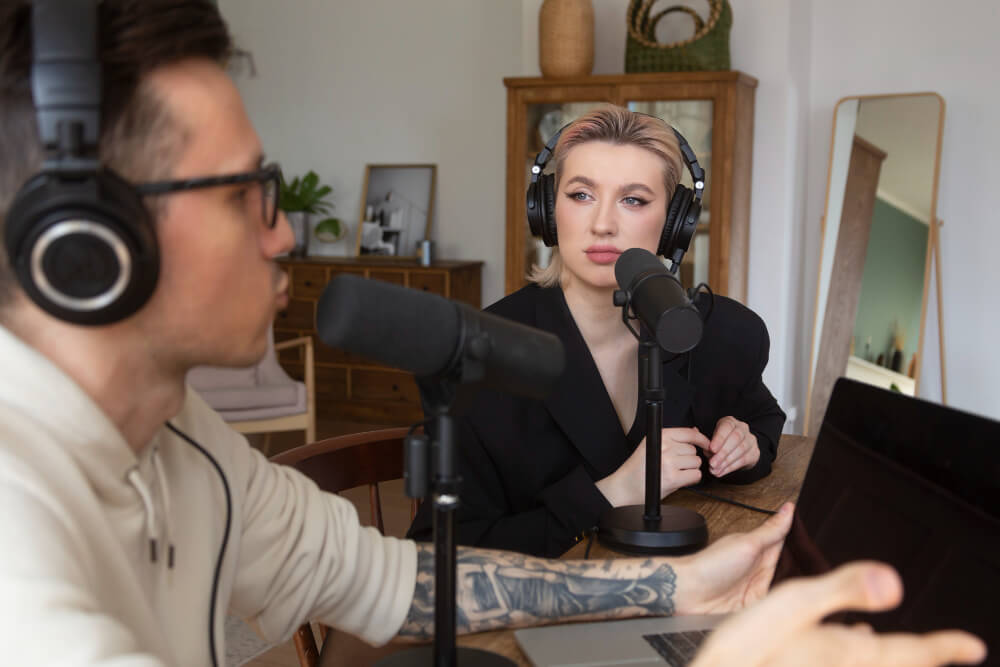

Not long ago, creating professional voiceovers required a good microphone, soundproof space, and hours of recording and editing. Today, things have changed dramatically. With AI-powered tools, you can produce studio-quality audio without ever speaking a word.
- Why Use AI Voiceovers Instead of Recording?
- Step-by-Step: How to Create Professional Voiceovers
- 1. Write a Conversational Script
- Pro Tip:
- 2. Choose the Right AI Voice Tool
- 3. Select a Voice That Matches Your Brand
- 4. Customize Voice Settings
- 5. Add Emotion and Emphasis
- 6. Generate and Review the Audio
- 7. Enhance with Audio Editing (Optional)
- 8. Sync with Video or Content
- Best Practices for High-Quality Voiceovers
- Common Mistakes to Avoid
- Overloading with Text
- Ignoring Pacing
- Using the Default Voice Without Testing
- Skipping Script Optimization
- Real-World Use Cases
- Final Thoughts
At the center of this shift is text to speech, a technology that converts written scripts into natural-sounding voiceovers in seconds. Whether you’re a content creator, marketer, or business owner, this opens the door to faster, more scalable content production.
Even better, AI voice technology has improved significantly in recent years. Studies show that modern AI voices can reach near-human levels of clarity and naturalness, making them suitable for everything from YouTube videos to professional ads. This means you no longer need to rely on expensive voice actors to sound polished and engaging.
Let’s explore exactly how to create professional voiceovers without recording your voice,and how to do it the right way.
Why Use AI Voiceovers Instead of Recording?
Before diving into the process, it’s important to understand why so many creators are switching.
Speed and Efficiency
Traditional voice recording involves scripting, recording, retakes, and editing. AI cuts that down to minutes.
Cost Savings
Hiring voice actors or buying equipment can be expensive. AI tools significantly reduce production costs.
Consistency
AI ensures the same tone, pacing, and quality across all your content.
Scalability
You can generate voiceovers in multiple languages without hiring additional talent.
In fact, AI voice technology adoption has grown rapidly, with businesses increasingly using it for marketing, training, and customer engagement.
Step-by-Step: How to Create Professional Voiceovers
Let’s break this down into a simple workflow you can follow.
1. Write a Conversational Script
Everything starts with your script.
To make your voiceover sound natural:
- Use short sentences
- Write like you speak
- Avoid complex jargon
Example:
Instead of:
“Utilize this solution to enhance productivity efficiency”
Say:
“Use this tool to get more done faster.”
Pro Tip:
Read your script out loud (even silently in your head) to check flow and clarity.
2. Choose the Right AI Voice Tool
There are many platforms available, including:
- Adobe Express
- Murf AI
- Play.ht
- ElevenLabs
Each offers different voices, tones, and customization options.
What to look for:
- Natural-sounding voices
- Multiple languages
- Voice customization (speed, pitch, tone)
- Export quality (MP3/WAV)
3. Select a Voice That Matches Your Brand
Your voiceover should match your content style.
Examples:
- Educational content – calm, clear voice
- Ads – energetic and persuasive tone
- Corporate content – professional and steady
Many tools offer:
- Male and female voices
- Different accents
- Emotional tones
Actionable tip:
Test 2–3 voices before choosing one. Small differences can impact engagement.
4. Customize Voice Settings
This is where you elevate your voiceover from “AI-generated” to “professional.”
Adjust:
- Speed – Slightly slower improves clarity
- Pitch – Match tone (higher = energetic, lower = serious)
- Pauses – Add natural breaks
Even minor tweaks can make a huge difference in how natural your audio sounds.
5. Add Emotion and Emphasis
The best voiceovers aren’t flat,they have rhythm and emotion.
To improve output:
- Use punctuation strategically (commas, periods)
- Break sentences into smaller parts
- Emphasized key words
Example:
“THIS changes everything…”
vs
“This changes everything.”
Some tools even allow emphasis tagging for better control.
6. Generate and Review the Audio
Once everything is set:
- Generate your voiceover
- Listen carefully
- Check for unnatural phrasing or pacing
Don’t hesitate to tweak the script or settings and regenerate.
Most professionals iterate 2–3 times for best results.
7. Enhance with Audio Editing (Optional)
To make your voiceover even more polished, use editing tools like:
- Audacity
- Adobe Audition
You can:
- Remove noise
- Adjust volume levels
- Add background music
Tip:
Keep background music subtle so it doesn’t overpower the voice.
8. Sync with Video or Content
Now that your voiceover is ready, integrate it into your content:
- YouTube videos
- Social media clips
- Presentations
- Ads
Make sure:
- Timing matches visuals
- Transitions are smooth
- Subtitles are included (for engagement + SEO)
Best Practices for High-Quality Voiceovers
Creating voiceovers is easy,but making them great requires attention to detail.
Keep It Simple and Clear
Clarity always wins over complexity.
- Avoid long paragraphs
- Use simple language
- Focus on one idea at a time
Prioritize Audio Quality
Even with AI, quality matters.
- Export in high resolution (WAV if possible)
- Avoid over-compression
- Balance audio levels
Think Like Your Audience
Ask yourself:
- Is this easy to understand?
- Does it sound natural?
- Would I keep listening?
Optimize for Platforms
Different platforms require different styles:
- TikTok/Reels – fast, engaging
- YouTube – informative and structured
- Ads – punchy and persuasive
Common Mistakes to Avoid
Even with great tools, mistakes can happen.
Overloading with Text
Too much text leads to robotic delivery.
Ignoring Pacing
Fast speech can feel unnatural and hard to follow.
Using the Default Voice Without Testing
Always explore options,default isn’t always best.
Skipping Script Optimization
A poorly written script = poor voiceover.
Real-World Use Cases
AI voiceovers are being used across industries:
Content Creators
YouTube automation channels rely heavily on AI voiceovers.
Marketers
Create ads, explainer videos, and product demos quickly.
Educators
Develop training materials and e-learning courses.
Businesses
Use voiceovers for onboarding, tutorials, and customer support.
Final Thoughts
Creating professional voiceovers without recording your voice is no longer a futuristic concept,it’s a practical, powerful tool available to anyone.
With the right approach, you can:
- Save time
- Cut costs
- Scale your content
- Maintain consistent quality
The key is not just using AI,but using it strategically.
Start with a strong script, choose the right voice, and refine your output. Once you get the hang of it, you’ll be able to produce high-quality voiceovers in minutes,without ever stepping into a recording booth.